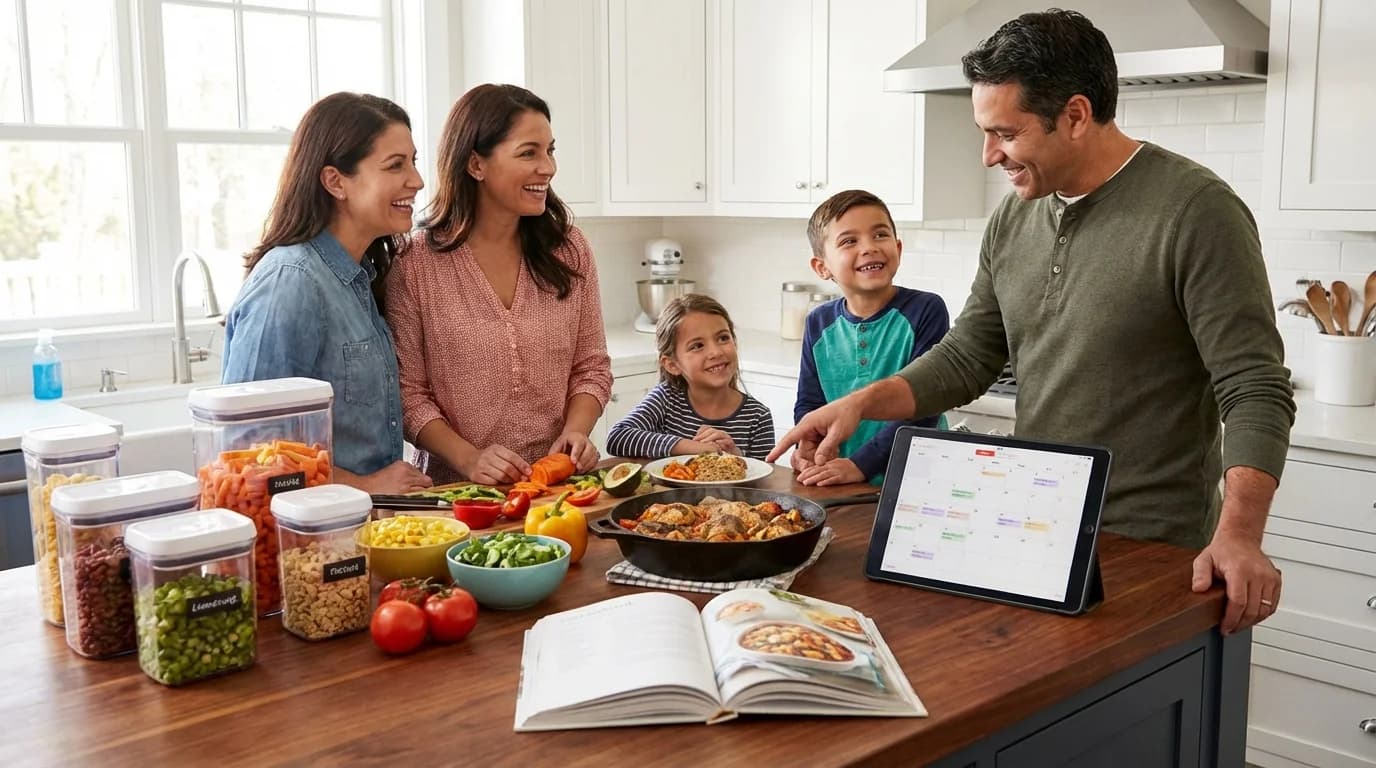
Last Tuesday at 5:45 PM, you stared at the fridge and made the same silent calculation every parent makes: is there anything in here that becomes dinner in 30 minutes without a grocery run? You found leftover rice, two chicken breasts, and half an onion. The kids were already asking. You pulled something off — but you were already dreading Thursday.
Key Takeaways
- A Sunday planning session of 15-20 minutes sets the whole week of family dinners
- The rotation model — 12-18 trusted recipes on repeat — removes 80% of the decision fatigue
- Picky eaters are manageable with the two-element rule and one new recipe per week
- A digital family meal planner shared across devices keeps everyone in the household aligned
Family meal planning is the thing that makes Tuesday and Thursday less of a scramble. Not because planning is fun (it isn't, particularly), but because 20 minutes of thinking on Sunday is worth five hours of mid-week stress across a whole family. This guide gives you the complete system — from deciding what to put on the plan to executing it with kids involved — built for real families, not food bloggers with unlimited prep time.
Why Most Family Meal Planning Fails (And What to Do Instead)
Most meal planning advice fails families for three reasons:
It assumes too much variety. Blogs suggest rotating through 30 different recipes every month. Real families have 8-10 dinners they reliably make, and that's completely fine. The goal isn't culinary adventure — it's dinner on the table without a fight.
It ignores picky eaters. A meal plan that doesn't account for the fact that one child won't eat anything with visible onion isn't a plan — it's a wishlist. Good family meal planning bakes in the picky eater problem rather than pretending it doesn't exist.
It lives in one person's head. When the person who does most of the planning gets stuck in a meeting until 6:30 PM, the whole system collapses because no one else knows what tonight's dinner was supposed to be.
The system in this guide addresses all three: it's built on a small rotation of trusted recipes, includes picky-eater tactics, and lives on a shared digital planner that anyone in the household can check.
Step 1: Build Your Family's Recipe Rotation
The rotation model is the single most effective change most families can make to their dinner lives. Instead of scrolling Pinterest for inspiration every week, you maintain a list of 12-18 recipes your whole family will eat — and you rotate through them on a roughly monthly cycle.
Why 12-18 recipes? Enough variety to not feel repetitive (you're seeing each recipe roughly every 2-3 weeks), but few enough that you know exactly what to buy for each one without looking it up.
How to Build Your Rotation
Start by asking everyone in the family to name their five favorite dinners. Not aspirational dinners — actual ones you currently make. Write them down. That's your foundation.
Then fill in the gaps. Look at your list and identify:
- Which nights need a quick option (under 30 minutes)?
- Which nights can handle something that takes 45-60 minutes?
- Do you have at least one budget-friendly option (beans, eggs, pasta)?
- Do you have at least one freezer-friendly recipe for the weeks when prep time is zero?
Fill those gaps with recipes the family has eaten before, not new experiments. New recipes go into the rotation only after they've been tried and approved.
Use MyRecipe to build and maintain your rotation. Create a collection called "Dinner Rotation" and add all 12-18 recipes to it. When Sunday arrives and you're planning the week, filter to that collection — your options are right there, not scattered across bookmarks and screenshots. Each recipe in the collection can be tagged, scaled, and linked directly to the meal planner.
Step 2: The Sunday Planning Session (15-20 Minutes)
This is the core of the system. Block 15-20 minutes on Sunday — or whatever your pre-week day is — and do the following.
Check What You Already Have
Before picking any recipes, open the fridge, freezer, and pantry and note what needs to be used up. Do you have ground beef that needs cooking this week? Half a bag of spinach? Some leftover rice? These anchor one or two of this week's dinners and reduce waste.
Pick Five Dinners (Not Seven)
Most families find planning all seven nights too rigid. Life happens — someone invites you to dinner, there's a school event, you order pizza on Friday. Plan five dinners and let the other two nights be flexible. You can always add a sixth meal to the plan, but you can't un-stress the week if you've committed to seven and only managed four.
For each slot, think about the week ahead:
- What nights are busiest? Those get the quickest dinners.
- What nights have the most prep time? Those get something that takes longer or benefits from earlier preparation.
- Is there a night where leftovers from another meal make sense?
Build the Shopping List Automatically
Once recipes are assigned to nights, you need a shopping list. If your recipes are saved in MyRecipe's meal planner, this happens automatically — the app generates a combined grocery list from all your planned meals, sorted by aisle, with duplicates merged. One tap, and your list is ready. No copying ingredients by hand.
If you're not using a digital planner yet, this step takes 10-15 minutes manually — writing down every ingredient from every recipe, checking what you have, calculating quantities. The manual version works but is exactly where most families give up on the system.
Share the Plan With Your Household
Write the week's dinners on the whiteboard (if you have one) or share a digital calendar. Crucially: make sure everyone who might cook any of these dinners knows what's on the plan. On the MyRecipe Family plan, the meal calendar is shared in real time with every household member. Your partner sees the same plan on their phone. If they're home first, they can start the Tuesday meal without having to ask.
Step 3: A Sample Week of Family Dinners
Here's what a well-planned family week actually looks like — note the variety in cooking time and the deliberate easy/hard distribution.
| Day | Dinner | Why It's Scheduled Here |
|---|---|---|
| Monday | Sheet pan chicken thighs + roasted broccoli | After the weekend, energy is okay — this is mostly hands-off |
| Tuesday | Pasta with ground beef and jarred tomato sauce | Busy weeknight — 20 minutes, kids always eat it |
| Wednesday | Leftovers from Monday | Wednesday is chaos. This is not a night to cook from scratch. |
| Thursday | Beef tacos with store-bought shells | Thursday often needs a crowd-pleaser to get through the week |
| Friday | Homemade pizza or order out | Flexible — either works. Friday is Friday. |
Notice there's no Monday meal prep marathon, no elaborate ingredient prep. This is a plan made for the actual week your family is living, not a week where you had three free hours on Sunday.
Step 4: Handling Picky Eaters Without Cooking Separate Meals
The picky eater problem is real, and "just make them eat it" isn't a system. Neither is cooking separate meals for every child. The working approach most family meal planners land on:
The Two-Element Rule
Every dinner includes at least two elements your picky eater will reliably eat. If your child won't eat mixed dishes, structure meals so components are separate: protein on one side, vegetable on another, starch in the middle. Tacos work because everything is separate. Casseroles don't work because everything is mixed.
When planning the week, ask: does this meal have at least two elements each kid will eat? If not, swap to a different recipe from the rotation.
One New Recipe Per Week
The goal isn't to avoid new foods — it's to introduce them strategically. One new recipe per week (at most) keeps exposure going without making every dinner a negotiation. If the new recipe fails, the plan has four other reliable options. Nothing derails the whole week.
The Deconstructed Dinner
Many family staples can be deconstructed to work for picky eaters. Stir fry: the adults get everything mixed in sauce, the kids get plain rice, plain chicken, and the vegetables in separate piles. Same cooking, same meal, zero complaint. Kid-friendly meal prep works on this same principle — one cook session produces variations for different preferences.
Keep Notes on What Works
The most valuable information you can accumulate is which specific recipes each family member reliably eats. Tag recipes in your digital planner — "Jake eats this," "Emma won't touch fish" — and filter to only those recipes when planning. Over six months, you build a picture of the actual reliable rotation, not a theoretical one. The recipe notes feature in MyRecipe is perfect for this.
Step 5: Making the Plan Stick Through the Week
The planning session is the easy part. Execution Monday through Friday is where systems break down. A few things that help:
Thaw Things Before You Need Them
When you plan Sunday, note which proteins need to come out of the freezer and when. Put a reminder in your phone or on the whiteboard: "Monday: take out chicken." This five-second action prevents the 5:45 PM "the chicken is still frozen" crisis.
Prep Anything That's Not Time-Sensitive
If Wednesday's dinner needs onion and garlic, chop them Monday night while you're cleaning up from dinner. Takes four minutes. Saves ten minutes Wednesday when everyone is hungry and impatient. This is the essence of batch cooking for families: small prep actions distributed across the week rather than one massive Sunday session.
Have a Fallback on Standby
Every week's plan should include at least one backup option — something in the pantry or freezer that becomes dinner in 20 minutes if the day goes sideways. A bag of pasta, canned tomatoes, and cheese is dinner. Eggs and whatever vegetables are in the fridge is dinner. The goal is to never find yourself at 6 PM with nothing to cook.
Use Cooking Mode During the Actual Cook
If you're cooking from a recipe in MyRecipe, use cooking mode. It keeps your screen awake, shows one step at a time in large text, and lets you set timers without switching apps. Small thing, genuinely useful when you're juggling three components on a Tuesday night.
Step 6: The Meal Plan for a Family With Multiple Diet Needs
Many families navigate multiple dietary requirements simultaneously: a lactose-intolerant parent, a kid who won't eat red meat, a spouse who's doing low-carb. The meal plan needs to accommodate all of them without four separate cooking sessions.
The Anchor Protein Model
Choose recipes where the protein can be adjusted without changing the rest of the meal. Taco Tuesday works: the base is the same, but one person uses beef, another uses black beans, and the toppings are all on the side. Sheet pan dinners work: one section of the pan has salmon, another has chicken thighs.
Modular Dinner Structure
Grain bowl nights are the most flexible family meal: a grain (rice, farro, quinoa), a protein (two options prepared at once), and a collection of toppings in bowls. Everyone builds their own. Zero negotiation, one cook session.
Use Tags and Filters
In MyRecipe's recipe organizer, tag recipes with relevant dietary flags. Filter to "dairy free" or "low carb" when planning to surface recipes that fit your household's needs. This works even when the household's needs are contradictory — you're looking for the overlap.
Step 7: Saving Your Family's Recipes So the Plan Works Long-Term
The meal planning system only works if it's built on a recipe collection you can actually use. Recipes saved in notes apps, Pinterest boards, browser tabs, and your mother-in-law's email threads don't connect to a meal planner. They just accumulate.
A few ways to get your collection into one place:
Import from food blogs. Paste any recipe URL into MyRecipe's URL importer and the ingredients and steps are saved automatically — no ads, no 2,000-word backstory.
Scan handwritten recipe cards. If your family rotation includes recipes from grandma or your own recipe cards, MyRecipe's OCR scanner reads handwritten and printed cards into editable digital recipes. This is also how you preserve family recipes for the next generation.
Type your own. Some recipes only exist in your head. Spend five minutes transcribing the ones your family eats most — it's worth it for the future meal planning sessions where you can just pull from the collection instead of trying to remember everything.
A Free Weekly Meal Planning Template
The simplest family meal planning template is a 7-day grid with three rows per day: Dinner (the main event), Notes (any prep needed today or tonight), and Shopping (any ingredient you need to pick up).
You can download printable templates or use MyRecipe's built-in weekly meal planner which auto-generates the shopping list from your planned meals. The digital version has one meaningful advantage: when your plan changes on Wednesday (it always changes on Wednesday), the shopping list updates automatically.
Here's the minimal version:
Week of: ___________

Monday: ___________     Notes: ___________
Tuesday: ___________    Notes: ___________
Wednesday: _________    Notes: ___________
Thursday: __________    Notes: ___________
Friday: ____________    Notes: ___________
Saturday: __________    Notes: ___________
Sunday: ____________    Notes: ___________

Shopping list: (generated from the above, or written separately)
Building the Long-Term System
The families who sustain meal planning for years aren't heroic planners — they're families who invested three months building a system that eventually runs mostly on autopilot.
After a month of planning, you have four weeks of dinners that worked. Those become the rotation. After three months, you know your household's reliable recipes, your usual shopping list is mostly repetitive, and Sunday planning takes 10 minutes instead of 20.
The investment is front-loaded. The payoff accumulates every week.
Start with the steps above. Save your rotation to MyRecipe — it's free for up to 50 recipes. Use the meal planner to assign recipes to the week and generate a shopping list. Share it with your household. Cook from the plan Monday through Friday. By Sunday, you'll know what needs to be adjusted. Adjust it. Repeat.
Quick Reference: Family Meal Planning Tips Summary
- Build a rotation of 12-18 family-approved recipes — not new ones, reliable ones
- Plan five nights, not seven — leave room for real life
- Check the fridge first — anchor 1-2 meals on what needs using
- Use a shared digital planner — so everyone in the household is aligned
- Generate your shopping list automatically — no hand-copying ingredients
- Apply the two-element rule for picky eaters — every meal has two things each kid reliably eats
- Thaw proteins before you need them — a Sunday note prevents Tuesday panic
- Keep a pantry fallback — something that's dinner in 20 minutes for bad days
- Rate and note what worked — build a data-driven rotation over time
- Give it three months — the system gets easier every week
Related Reading
About myrecipe
myrecipe helps families save, organize, and share their favorite recipes in one place. Plan meals, create shopping lists, and preserve your culinary traditions.
Start Organizing Recipes