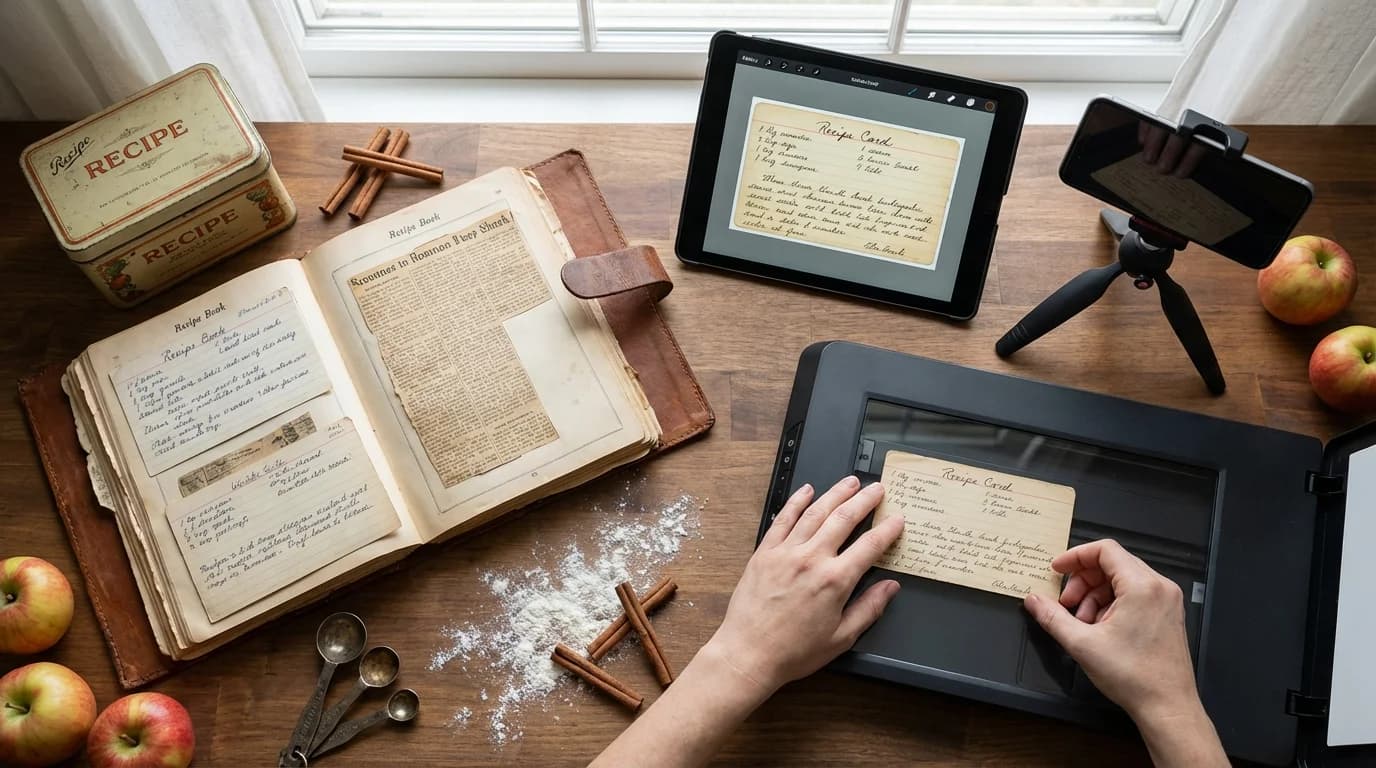
Somewhere in your family, there is a recipe that exists in one place. One handwritten card, one worn notebook page, one printout tucked into a kitchen drawer. Maybe it's Grandma's pie crust. Maybe it's your aunt's tamale filling. Maybe it's a Christmas cookie recipe that hasn't been written down at all — it's just lived in one person's hands for 40 years.
Key Takeaways
- Start with the highest-risk recipes first — the ones held by one person, in one place
- Always preserve the original scan alongside any typed version — the handwriting is part of the heirloom
- OCR apps make handwriting extraction faster, but human review of every recipe is non-negotiable
- A shared digital library lets every family member access, contribute, and comment on recipes
- The project takes 3-6 months at a sustainable pace — start with 10 recipes, not all 200
That recipe is at risk every single day. Not from malice, not from neglect, but from the ordinary passage of time. Paper deteriorates. People move. Houses flood. And the person who carries the recipe in their memory is not immune to forgetting.
Digitizing family recipes is not a project for someday. It's one of the most practical preservation acts you can do for your family's history — and it's never been easier than it is right now.
This guide walks through the complete process: what to gather, how to scan and transcribe, which OCR tools actually work, how to organize a digital library, how to share it across your family, and how to make the whole thing sustainable over years rather than a one-time effort that stalls at 40 recipes.
Why Digitize? The Honest Reasons
Before the how, it's worth being clear about the why — because the reasons shape the decisions you'll make about format, tools, and organization.
Protection against loss. Paper is fragile. A single water leak, a house fire, or a move gone wrong can erase decades of culinary history in hours. A digital copy stored in two places is nearly indestructible. This alone is worth the project.
Accessibility. When recipes are digital, every family member can access them from anywhere. No more calling your mom to ask how much cinnamon goes in the apple cake. No more waiting until the next family gathering to copy down the stuffing recipe.
Searchability. A shoebox of 200 recipe cards is impossible to navigate. A digital library with search and tags lets you find "Aunt Marie's lasagna" in three seconds, filter to "holiday recipes" with one click, and sort by who contributed them.
Shareability across generations. The 22-year-old in your family who lives across the country can cook Grandma's Sunday roast in their apartment using the same recipe the family has made for 60 years. That's what digitization enables — closing the geographic and generational gap.
The context that recipes alone don't capture. Digital formats let you add photos, notes, stories, and even audio or video alongside the recipe. Grandma's pie recipe is more valuable when it comes with a note saying "she always rolled the crust on the marble slab from her mother's kitchen, and she'd chill the butter in the freezer the night before." That context is what makes a digital family cookbook different from any commercial one.
Step 1: Gather and Triage Your Recipes
Don't start by trying to digitize everything at once. Start by understanding what you have and which recipes are most at risk.
Where to look:
- Recipe boxes and index card collections
- Cookbooks with handwritten notes in the margins
- Loose papers in kitchen drawers and folders
- Old binders or three-ring notebooks
- Newspaper and magazine clippings
- Handwritten notes passed at holiday gatherings
- Digital photos that relatives have taken of recipe cards
- Recipes that exist only in someone's memory
Triage by risk: Not all recipes carry the same urgency. Apply a simple three-tier system:
- High risk: Recipes held by one elderly relative, recipes in poor physical condition, recipes that exist nowhere else. Digitize these first.
- Medium risk: Recipes in decent condition, held by multiple family members, or already in a printed cookbook. Digitize these second.
- Low risk: Recipes in family cookbooks that were printed in multiple copies, or recipes from commercial publications. These can wait.
Create a master inventory. A simple spreadsheet with columns for recipe name, current location (who has it), physical condition, and digitization status takes about 30 minutes to create and will save you hours of confusion over the next six months. It also lets you see your progress and prioritize.
Step 2: The Scanning Process
For any recipe that has physical or sentimental value, scan the original before doing anything else. The scan captures the handwriting, the flour-dusted card, the faded ink — all of it. These details are irreplaceable.
Using a flatbed scanner: For recipe cards and loose papers, a flatbed scanner gives the best quality.
- Resolution: 300 DPI minimum. Use 600 DPI for faded or very detailed handwriting.
- Color mode: Color to capture the authentic look, including stains and age patina. Grayscale only if storage space is genuinely constrained.
- File format: PDF for multi-page documents or full cookbooks. JPEG or PNG for individual cards.
Using a smartphone: For most families, a phone camera app is sufficient and far more convenient than buying or borrowing a scanner. Two apps stand out:
- Microsoft Lens (free, iOS and Android): Auto-crops, corrects perspective, adjusts contrast. Saves directly to OneDrive, PDF, or your camera roll.
- Adobe Scan (free, iOS and Android): Similar capabilities plus basic OCR built in. Good for batching multiple cards.
- Genius Scan (free with premium tier): Better manual control over image processing.
Photography tips for recipe cards:
- Use natural window light when possible. Overhead fluorescent or incandescent light creates shadows and yellow tones.
- Place the card on a neutral background — white or light gray.
- Hold the camera directly above (parallel to the card) to avoid keystoning distortion.
- Take multiple shots and keep the sharpest. The 30 seconds this takes is worth it.
What to do with damaged cards: Scan them as-is. The stains, the water damage, the torn corner — all of it is authentic. If the handwriting is difficult to read due to damage, scan it and also ask any family members who knew the cook to help decipher it. Some of the hardest-to-read cards become the most interesting to decipher together.
Step 3: OCR — Making Handwriting Searchable
OCR (Optical Character Recognition) converts scanned images into editable, searchable text. Modern AI-powered OCR handles printed text with very high accuracy and handles clean handwriting reasonably well. It struggles with older cursive, faded ink, and highly stylized handwriting.
The honest assessment of OCR for family recipes: OCR is a starting point, not a final product. For printed recipes from newspapers and books, it's nearly perfect. For handwritten recipes, it will get 60-80% of the text right and will misread abbreviations, unusual measurements ("a coffee cup," "a handful"), and cursive letter forms that look similar (e and i, m and n).
Always review every OCR-converted recipe before saving it. A recipe that says "1 cup sugar" when the original says "1 cup butter" will produce a very different result.
Tools worth using for OCR:
- The digitize handwritten recipes tool is built specifically for this workflow — upload a scan, get extracted text, review and save.
- Google Docs has free built-in OCR: upload a scan as an image, open it in Google Docs, and the text appears as editable text below the image.
- Microsoft OneNote: Paste any image and right-click "Copy Text from Picture." Surprisingly good for clean handwriting.
- Adobe Acrobat Reader (free) can OCR scanned PDFs directly.
For recipes that resist OCR: Typed entry is sometimes faster than fighting OCR on difficult handwriting. For these, create a typing session — sit with family members who recognize the handwriting and type together. The conversation that emerges is often as valuable as the recipe itself.
Step 4: Transcription — What to Preserve Beyond the Ingredients
This is where digitization becomes something more than file management.
When you type out a recipe, you're making editorial decisions about what's worth keeping. Here's what not to cut:
Measurements in the original language. "A coffee cup of flour" should stay in the notes with a modern equivalent added in brackets: "a coffee cup [approximately 1 cup]." "A knob of butter" is more evocative than "2 tablespoons." Preserve the voice.
Names and attribution. Every recipe should carry who it came from. Not just "from the family" but "Grandma Helen's, written 1962, adapted from her mother's version."
Stories and context. Where did this dish come from? When was it traditionally made? What occasions? A note at the bottom of the recipe saying "This was made every Easter Sunday from 1955 until Grandma Helen passed in 2003. Mom has since made it every year. The paprika amount has been doubled from the original because we all like it spicier now" is worth more than 10 more recipes.
Variations and handwritten notes. If there are penciled annotations on the original — "add more vanilla," "doesn't need the full hour," "kids don't like the raisins" — these are real field notes from someone who actually made this dish. They belong in the digital version.
The date, if known. Even an approximate decade helps. "This recipe is from sometime in the 1940s" tells a story about wartime ingredient substitutions or Depression-era economics that a reader in 2040 will find fascinating.
Standard formatting for every recipe:
- Recipe name and attribution (who it came from, when)
- Yield and serving size
- Prep time and cook time (if estimable)
- Ingredients with standardized measurements (plus original if different)
- Step-by-step instructions
- Notes section for stories, variations, and tips
Step 5: Choosing Your Digital Home
Where you store the recipes matters less than the fact that you store them somewhere consistent. Here's an honest comparison:
Google Drive / Dropbox / iCloud: Good for families comfortable with cloud storage. Recipes as document files (Google Docs, Word) in a clear folder structure. Searchable, shareable, automatic backup. The weakness: recipes aren't organized as recipes — they're just files, and as the collection grows, navigation gets harder.
Dedicated Recipe Apps: This is where purpose-built platforms like MyRecipe win for most families. Your recipes exist as actual recipes — with ingredient scaling, tagging, collections, household sharing, and meal planning integration. Grandma's recipes live alongside your weekly meal prep in the same library. You can share a recipe with a family member in one click. You can filter to "holiday recipes" or "Grandma's collection" instantly.
The recipe organizer approach means the preserved recipes become usable, not just archived. That's a meaningful difference.
Printed family cookbook (as a companion): Services like Blurb, Shutterfly, or Chatbooks let you create beautifully printed family cookbooks from your digital collection. These make extraordinary wedding gifts, graduation presents, or holiday gifts. The physical book complements the digital archive — it's not an alternative. Print from your organized digital library so updates are easy.
Family website: For families with someone technical, a dedicated family recipe site (even a simple one) lets you create something that feels permanent and shareable without relying on any single company's platform. The risk is maintenance — if the person who built it moves on, it falls into disrepair.
Recommended approach: organize in a dedicated recipe app as your primary home, keep a folder of original scans in cloud storage as backup, and print a physical cookbook every few years as a distributed keepsake.
Step 6: Organizing the Digital Library
A well-organized digital library is the difference between recipes people actually use and a digital shoebox that's marginally better than the physical one.
Organize by family branch and then by type:
- Grandma Smith's Recipes / Desserts
- Grandma Smith's Recipes / Main Dishes
- Mom's Kitchen / Holiday
- Mom's Kitchen / Everyday
- Aunt Marie's Collection
This structure lets family members navigate by person or by occasion without needing to know who made what.
Tag generously: Tags are what make search and filtering powerful. Apply tags like:
holidaychristmasthanksgivingeastergrandmas-recipeheirloomvintagekid-friendlyvegetarianfreezer-friendlyquickmake-aheadspecial-occasion
Naming conventions: Use clear, searchable names. "Grandma_Helen_Apple_Pie.pdf" is infinitely better than "IMG_4832.jpg." Include the contributor's name in the title field of every recipe, not just the file name.
Link related recipes: Grandma's pie crust and Grandma's apple pie filling should cross-reference each other. A pot roast recipe and the gravy recipe that goes with it should be linked. These relationships make the collection feel like a cookbook rather than a random pile.
Step 7: Sharing with Family
The digitized collection becomes more valuable the more people have access to it and contribute to it.
Shared collections with role management: Look for platforms that let you create a family collection where multiple people can view recipes and, with permission, add or annotate them. MyRecipe's household sharing lets family members access the same library from different accounts — useful for mom, dad, adult children, and grandparents all contributing.
The contribution problem (and solution): Getting family members to actually add their recipes is harder than digitizing Grandma's. The friction is usually technical — they don't know how to use the app or aren't sure their recipe is "good enough."
Make it easy: accept recipes in any format (email, photo, handwritten card at Thanksgiving). Designate one family member as the "librarian" who handles the actual uploading. Make it clear that all recipes are welcome, not just the showstoppers.
Annual contribution ritual: The families who maintain the best recipe collections treat it as an annual event — "every Christmas, we each add one recipe we discovered this year" or "at the reunion, we digitize whatever Aunt Carol brought."
Sharing specific recipes outside the family: For recipes you want to share publicly — a favorite you want friends to be able to make — use the recipe sharing functionality to create a link. No account required for the recipient. For family recipe preservation, private family collections with invite-only access is usually the right default.
Step 8: Backing Up Everything
The whole purpose of digitizing is preservation. One copy in one app on one phone is not preservation — it's a different kind of fragility.
The 3-2-1 rule:
- 3 copies of your digitized recipes
- 2 different storage media (cloud + external drive, for example)
- 1 copy off-site (cloud storage counts)
Practical implementation:
- Primary: recipe app (cloud-synced, accessible from any device)
- Secondary: folder of all original scan images in Google Drive or Dropbox (automatic backup)
- Tertiary: annual download of your recipe collection exported as a PDF or ZIP, stored on an external drive
The original scans are the irreplaceable layer. If a recipe app shuts down, you can rebuild from the scans. Set a calendar reminder to download your collection backup annually — 15 minutes per year, permanent protection.
How to Convert Handwritten Recipes: The Workflow in Practice
For the families who are just starting, here's a practical workflow for tackling a batch of 20-30 recipe cards:
Session 1 (1-2 hours): Scan all cards with your phone scanning app. Save to a dedicated folder. Don't transcribe yet.
Session 2 (1-2 hours): Run OCR on the scans. For each recipe, copy the OCR output into your recipe app, correct any errors while the original scan is open, and add the attribution and any context you know.
Session 3 (30-60 minutes): Contact family members who knew the cook. Ask about any recipes you couldn't fully decipher. Collect stories and notes for the context section. This is the session that makes the project meaningful.
Ongoing: Add 2-3 recipes per week as a maintenance habit. At that pace, 200 recipes takes 18-24 months — sustainable without burning out.
The convert handwritten recipes digital guide goes deeper on the technical OCR workflow, including troubleshooting specific handwriting styles and working with damaged cards. Read it if you hit a batch of particularly difficult originals.
Making It a Living Family Tradition
The best recipe archives are never "done." They're living collections that grow with the family.
What to add beyond the original digitization:
- New recipes that become family favorites — things that are "new heirlooms" in the making
- Updated notes when a family member improves or adapts a recipe
- Photos of the finished dish, especially from family gatherings
- Video of older relatives demonstrating their technique before that knowledge is lost
- Context that emerges later ("we looked it up and this recipe is from a 1950s newspaper column")
Teach the next generation: The most effective thing you can do for long-term preservation is to make cooking these recipes a shared activity between generations. When a teenager cooks Grandma's apple cake with their parent using the digital recipe, they're building a memory and a skill simultaneously. The recipe becomes theirs.
For deeper thinking on the emotional and practical dimensions of this work, the preserve grandma's recipes guide covers the project from the perspective of urgency and legacy — particularly useful if there's an older family member whose recipes need to be captured soon.
Getting Started Today
The biggest obstacle to digitizing family recipes is starting. The project feels large. It isn't.
Today's assignment: identify one recipe that is most at risk. The one held by the oldest living family member. The one on the most fragile paper. The one that exists only in one person's memory.
Photograph it. Upload the scan somewhere safe. Type out the ingredients and instructions. Add a note about who it came from.
That's it. One recipe. You've started.
Sign up free to save your first family recipe. Build your family collection at whatever pace works for you. The family cookbook app makes sharing with relatives straightforward, and the digitize handwritten recipes tool accelerates the OCR step significantly.
The goal isn't a perfect archive by summer. The goal is that the most important recipes are captured before they can be lost. Start there.
FAQ
How long does digitizing a family recipe collection take? A collection of 100 recipes, done at a sustainable pace of 10-15 recipes per week, takes 7-10 weeks of dedicated sessions. If you're handling 300+ recipes, plan 3-6 months. Don't try to do it all in one weekend — you'll burn out.
Should I type out recipes or just save the scan? Both. Always save the scan as the archival original. Also type out the recipe for searchability, scalability, and practical cooking use. The scan is the heirloom; the typed version is the everyday tool.
What if family members disagree on the recipe? Save all versions. Document them as variations: "Grandma's original version" and "Mom's version (doubled the vanilla, added lemon zest)." These variations tell the story of how recipes evolve through generations.
How do I handle recipes in languages I don't read? Photograph the original with particular care. Find a family member who reads the language to help transcribe. Note the language in the recipe's metadata. Even an untranslated scan is better than a lost original.
What about recipes that exist only in someone's memory? Record them. Sit with that family member and cook the dish together. Take video or voice notes. Then transcribe the process. This is the most urgent preservation work — these recipes are one health event away from being gone.
Is a printed family cookbook worth making? Yes, as a companion to your digital archive. Print one every 5-7 years or for special occasions. A physical book that can be held, annotated by hand, and passed down has a different relationship to preservation than a digital file. Both matter.
About myrecipe
myrecipe helps families save, organize, and share their favorite recipes in one place. Plan meals, create shopping lists, and preserve your culinary traditions.
Start Organizing Recipes